QS-WAN + QNova Client

The platform: two pieces, one system

QuantumNova is two things that only make sense together. QS-WAN is the control plane, the browser console an organisation runs its network from. QNova Client is the agent on every device your people work on. Neither product works without the other, and together they are one private network.

Example architecture

Drawn out, an ecosystem looks like this

This is an example of how the two pieces sit together, and not a customer network. The console sits at the top, the gateways sit under it, and every device that connects through them runs QNova Client. The number of gateways and devices changes from one organisation to the next.

QS-WANGatewayGatewayGatewayQNova ClientQNova ClientQNova ClientQNova ClientQNova ClientQNova ClientQNova Client

Example structure, not a customer network. Slide it sideways to see the whole drawing.

01 · The console

QS-WAN, the console

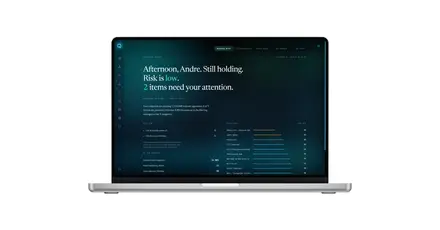
QS-WAN is the administration platform for the whole network. From one browser console an administrator sees every gateway and every device, writes the policy that governs them, decides what they are allowed to reach, and reads the risk score line by line instead of taking a colour on trust.

You can put it
The numbers behind it
malicious domains on the DNS blocklist
0 M
malware signatures active on the clients
0 M
indicators in the risk score
0

Blocklist counted across nine feeds on 2 September 2026. Malware signatures at 31 August 2026. Both grow, so both carry a date.

The one thing to understand about it
A green response in QS-WAN means the intent was recorded, not that an offline device has already obeyed it.
Authoritative

The database is authoritative.

Best effort

Delivery to gateways and clients is best effort,

Converges

and it converges when the device comes back.

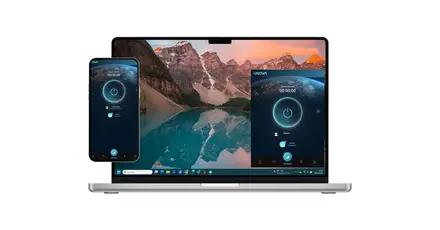
QNova Client connected on a phone
02 · The agent

QNova Client, the agent

QNova Client is the signed agent installed on every endpoint of the network. It is the door your people go through to reach what they need remotely, and while they work it protects the device they are working on.

Platform coverage

One agent, across the systems your people already work on. Ask us where each one stands today and we will tell you exactly.

Windows logo
Windows
Linux logo
Linux
macOS
iOS
Android logo
Android
Integrations

The platform doesn't ask you to throw away what you already run.

Identity

Administrators can sign in with your existing identity provider, through Microsoft Entra ID or a local Active Directory.

Logs

Structured logs go out to your SIEM.

Cloud networks

The network side connects to the cloud networks you already have, including AWS, Google Cloud and Azure.

Deployment

Getting it running takes four steps, and your people only see the last two.

01

Subscribe

Talk to our sales team. We size the network with you and agree what you need before anything is installed.

02

Configure QS-WAN

The administrator opens the console and sets up the network: which people are on it, which devices they carry, and which rules apply to them.

03

Your people sign in

They download QNova Client, sign in, and that is the whole of their side of it.

04
And then they are working
Your people reach what they need from anywhere, on a device that is protected while they work, over connections encrypted with post-quantum cryptography.

Every connection, including the moment the tunnel is set up.

NEWSLETTER

Get weekly tips, product news and early access, straight to your inbox.

Scroll to Top